 Slow Down
 A free alternative to Amazing Slow Downer, Capo, Transcribe! and the rest
There are great apps for learning music by ear, and most of them cost money, run on only one or two kinds of device, or both. Slow Down Buddy does the core job for free, in any browser, on your phone and your computer, with no download. Here is an honest look at how it compares.
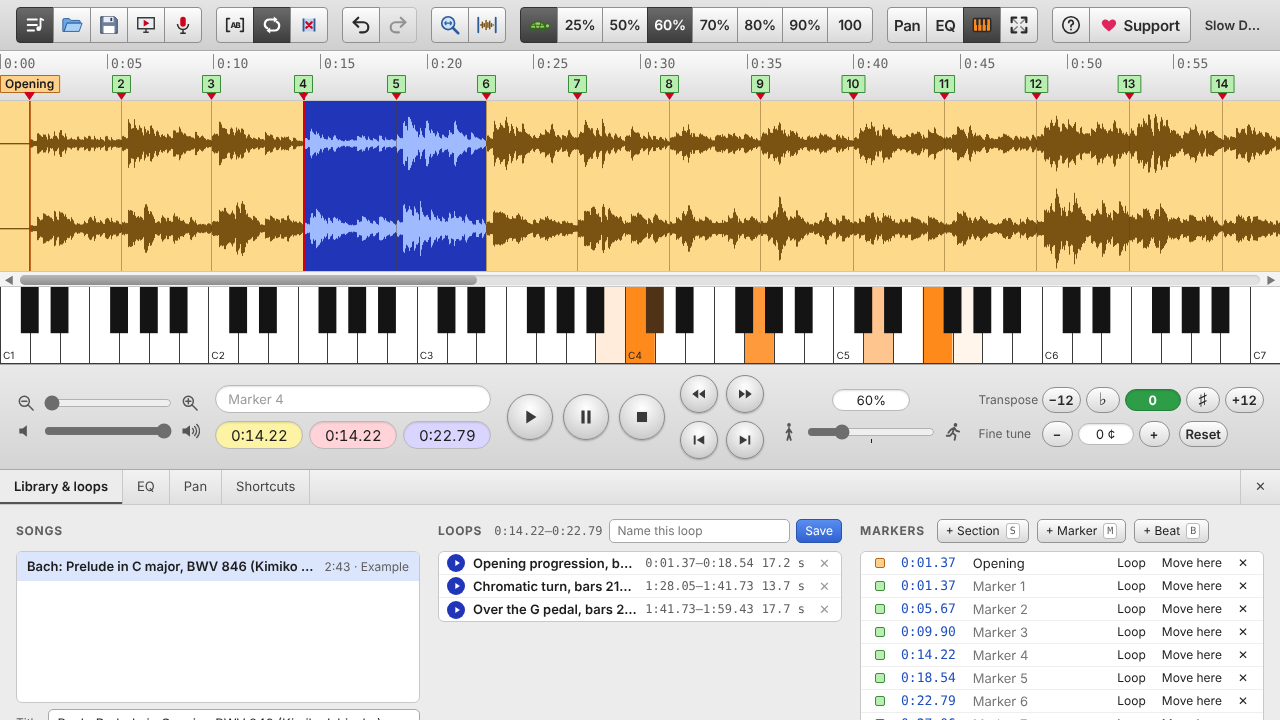
Why people switch
- Free, with no sign-up. No trial that runs out and no subscription for the basics.
- Every device, one app. Mac, Windows, Chromebook, iPhone and iPad: open slowdownbuddy.com and you're in. No buying the same app twice for phone and desktop.
- Crisp at slow speeds. Drum hits and note attacks stay sharp even at 25%, where many slow-down tools turn percussion into a swish.
- Record from any website. In Chrome, Edge or Brave, pick a browser tab and its audio goes straight into your practice library.
- Loop by ear. Press L where a passage starts and L where it ends, while it plays.
- Private by design. Your audio stays on your device; nothing is uploaded.
At a glance
| Price | Runs on | Stand-out strengths | |
|---|---|---|---|
| Slow Down Buddy | Free | Any modern browser: Mac, Windows, Chromebook, iPhone, iPad, Android | Free everywhere, crisp attacks at 25%, record from a website tab, loop with L, opens FLAC and Apple Lossless even on iPhone |
| Amazing Slow Downer | Paid app for each platform; a free Lite version plays part of each song | iPhone/iPad, Android, Mac (and Windows in some stores) | Long-established, plays from your music library on iPhone |
| Capo | Yearly subscription | Mac, iPhone, iPad | Automatic chord and beat detection, polished Apple-only app |
| Transcribe! | $39 one-time license, free trial | Windows, Mac, Linux | Mature desktop tool, video, detailed note and spectrum analysis |
| Anytune | Free download with paid upgrades | iPhone, iPad, Mac | Practice features for Apple devices |
| Moises | Free tier, subscription for more | Web, phone and desktop apps (account needed) | AI separation of vocals, drums and bass; chord and tempo detection |
Prices and platforms change. Check each developer's site for current details. Last reviewed October 2026.
Slow Down Buddy vs Amazing Slow Downer
Amazing Slow Downer has been a go-to for years, and on iPhone it can play straight from your music library. But it's sold separately for each platform, and the free Lite version only plays part of each song. Slow Down Buddy is free on every device at once, keeps attacks crisp at very slow speeds, and adds markers, saved loops, EQ presets and recording from a website tab.
Slow Down Buddy vs Capo
Capo is a beautifully made Apple app with automatic chord and beat detection, sold as a yearly subscription for Mac and iOS. If you're on Windows, Android or a Chromebook, or you don't want a subscription, Slow Down Buddy gives you slow-down, loops, markers, transpose and EQ for free in the browser. Automatic chords and bar markers are on our list for a future Pro version.
Slow Down Buddy vs Transcribe!
Transcribe! is the classic desktop transcription tool: a one-time license, video support and deep note analysis. If you want something that also works on your phone, needs no install and costs nothing, Slow Down Buddy covers the everyday practice workflow. See the full Transcribe! comparison.
Slow Down Buddy vs Anytune
Anytune focuses on Apple devices. Slow Down Buddy runs the same way on Apple, Windows, Android and Chromebook, so your practice setup isn't tied to one ecosystem, and you can move your whole library between devices with one backup file.
Slow Down Buddy vs Moises
Moises is built around AI: it separates a song into vocals, drums, bass and more, and detects chords and tempo, with the best features behind a subscription and an account. If you mainly need to slow down, loop and transpose, Slow Down Buddy does that free, with no account and without uploading your music. Its center-cancel and EQ presets go a long way toward isolating a part.
Which browsers can record a website?
| Browser (on a computer) | Record a website tab |
|---|---|
| Google Chrome | Yes |
| Microsoft Edge | Yes |
| Brave | Yes |
| Opera, Vivaldi, Arc and other Chrome-based browsers | Should work (same engine as Chrome) |
| Firefox | No: use the microphone button |
| Safari | No: use the microphone button |
| Any phone or tablet browser | No: use Screen Recording or the microphone button |
Everything else in Slow Down Buddy (slowing down, loops, markers, transpose, EQ) works in all of these browsers, including Safari and Firefox, on computers, phones and tablets.
When another app is the better pick
- You need AI stem separation: try Moises.
- You want automatic chord charts on Mac or iPhone: try Capo.
- You transcribe from video or want spectrum analysis on a desktop: try Transcribe!.
For everything else, from slowing down a solo to looping a bass fill on your phone between lessons, Slow Down Buddy is free and already open in your browser.
Questions
Is Slow Down Buddy really free?
Yes. Slowing down, looping, markers, transpose, EQ, recording and backups are all free with no sign-up. A Pro version with extras such as exporting slowed-down audio is planned; today's features stay free.
Does it work on Windows and Android?
Yes. It runs in any modern browser, including Chrome, Edge, Firefox and Safari, on Windows, Mac, Chromebook, Android, iPhone and iPad.
Can I import my songs from another app?
Open the audio files directly: MP3, WAV, FLAC, M4A (AAC, Apple Lossless and Opus), the audio of MP4 and MOV videos, and voice memos. Loops and markers from other apps don't carry over.
Does it separate vocals and instruments like Moises?
Not with AI. It has center-cancel to reduce the vocal, left or right channel only, and EQ presets for bass, guitar, vocals and drums. AI separation is something we may add later.
Is my music uploaded?
No. Everything happens in your browser, and your songs are stored on your device.