 Slow Down
 Slow down YouTube, or any website, without changing pitch
Slow Down Buddy records whatever a browser tab is playing and saves it to your practice library. From there you can slow it down to 25% without the chipmunk or the drag, loop a few bars, and change the key.
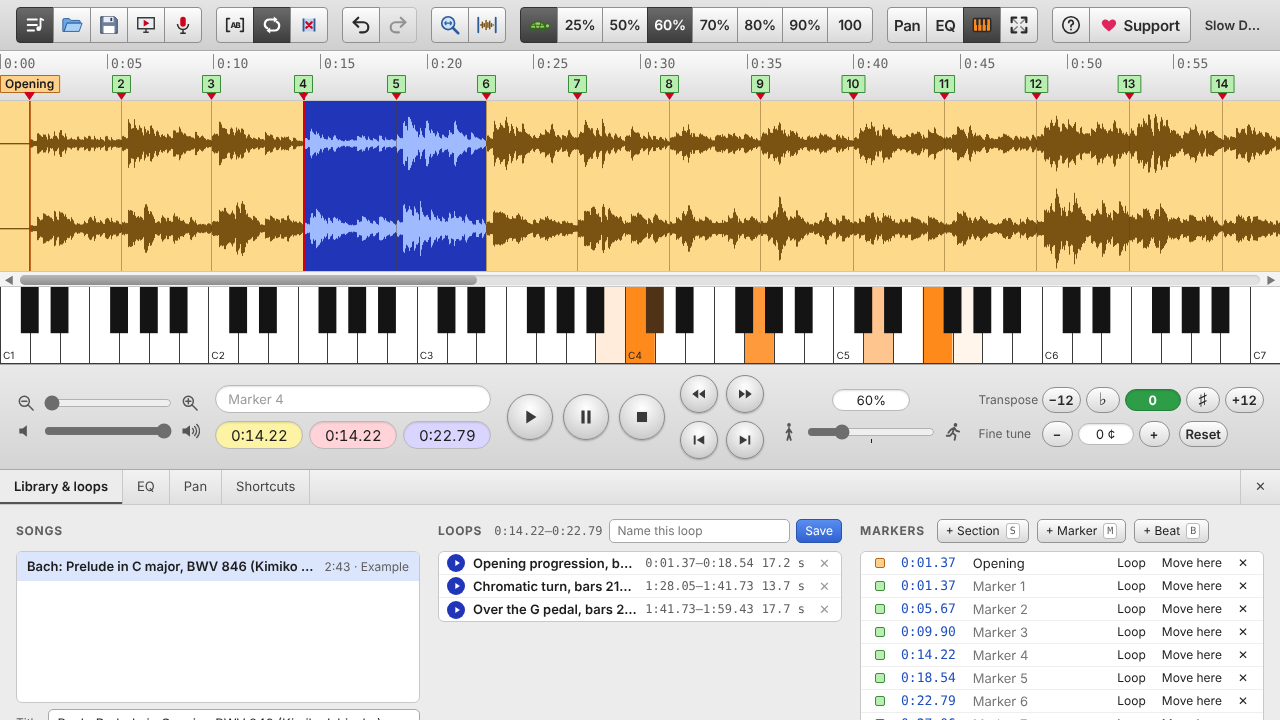
On a computer (Chrome, Edge or Brave)
- Open slowdownbuddy.com in one tab and the video or song in another.
- In Slow Down Buddy, press the record a website button (the screen icon) in the toolbar.
- Choose the tab with the music and switch on Share tab audio.
- Play the part you want to learn, then press Stop and add to library.
- Pick a speed (try 50% or 70%), press L at the start of the hard bit and L at the end to loop it, and play along.
Which browsers can record a website?
| Browser (on a computer) | Record a website tab |
|---|---|
| Google Chrome | Yes |
| Microsoft Edge | Yes |
| Brave | Yes |
| Opera, Vivaldi, Arc and other Chrome-based browsers | Should work (same engine as Chrome) |
| Firefox | No: use the microphone button |
| Safari | No: use the microphone button |
| Any phone or tablet browser | No: use Screen Recording or the microphone button |
Everything else in Slow Down Buddy (slowing down, loops, markers, transpose, EQ) works in all of these browsers, including Safari and Firefox, on computers, phones and tablets.
On iPhone or iPad
Phone browsers can't record another tab, so use one of these instead:
- Screen Recording: start it from Control Center, play the video, stop, then open the recording in Slow Down Buddy with the folder button. Some apps mute their sound in recordings; if yours comes out silent, use the next option.
- The microphone button: play the song out loud on another device and record it.
- Files you already have: MP3, M4A, FLAC, WAV and voice memos open directly, even Apple Lossless and Opus files that iPhone browsers usually can't play.
Why it sounds better slowed down
Most "slow down" tools smear drum hits and plucked notes into a swishy blur at low speeds. Slow Down Buddy finds every attack in the song and keeps it sharp, while stretching the notes in between, so a cowbell still sounds like a cowbell at 25%.
Play fair
Recordings stay on your device for your own practice. Respect the rights of the artists and sites you record from; some protected streams can't be recorded and come through silent.
Questions
Does slowing down change the pitch?
No. Speed and pitch are separate: you can slow down to 25% and keep the original key, or transpose separately by semitones and cents.
Do I need a browser extension?
No. Recording a tab uses a feature built into Chrome, Edge and Brave. Nothing to install.
Which browsers can record a website?
Chrome, Edge and Brave on a computer, and other Chrome-based browsers such as Opera, Vivaldi and Arc should work too. Safari, Firefox and phone browsers cannot capture another tab; use the microphone button or a screen recording instead.
Is my audio uploaded anywhere?
No. Recording, slowing down and storage all happen in your browser on your device.
How slow can it go?
Down to 25% speed, and up to 200%.