 Slow Down
 How to learn songs by ear, one loop at a time
Learning by ear is a skill, not a gift. The trick is to make the problem small: a few notes, slowed down, repeated until you can sing them. Here is a method that works on any instrument, using Slow Down Buddy.
Open Slow Down Buddy, freeNo download, no sign-up. Works on Mac, Windows, Chromebook, iPhone and iPad.
The method
- Get the recording in. Open a file, or record the song from a website (Chrome, Edge or Brave on a computer). The built-in demo is a good place to practice the routine.
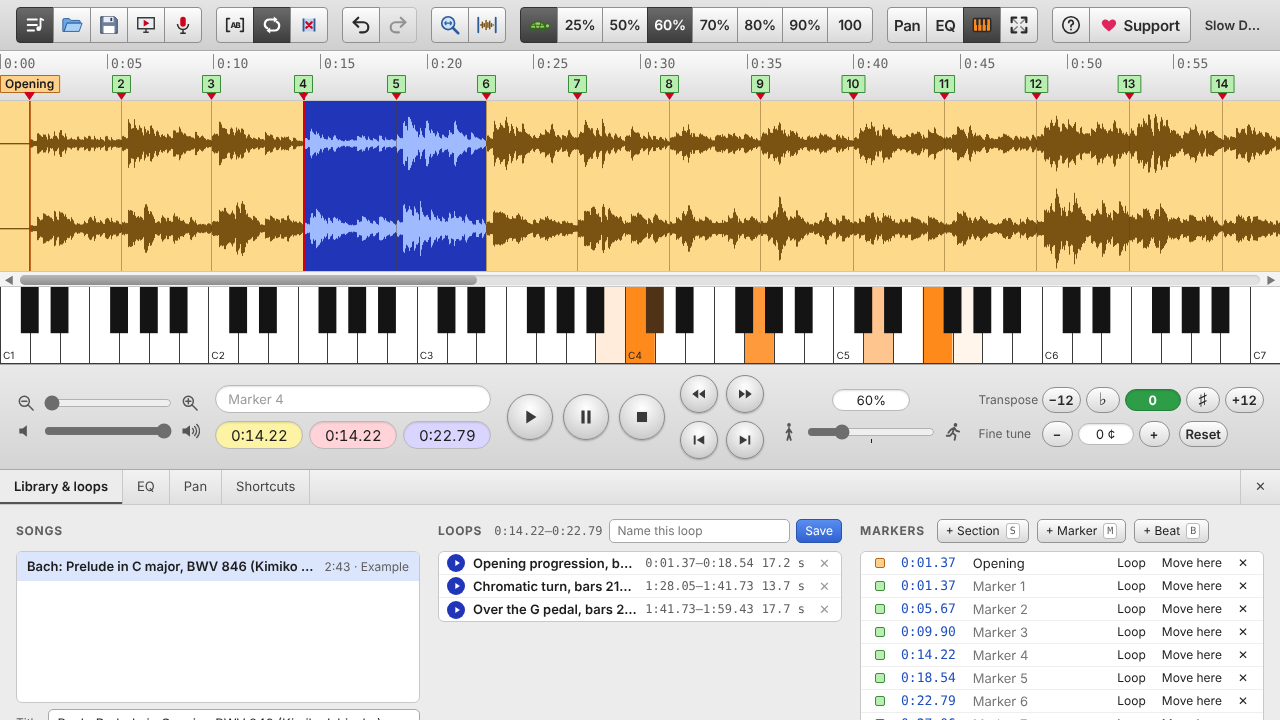
- Map the song. Play it through once and press S at each new section (verse, chorus, solo). Press M on the first beat of bars you care about.
- Loop one short phrase. Press L where the phrase starts and L where it ends. Two to four seconds is plenty.
- Slow it down. Start at 50% or 60%. The pitch stays the same, so what you hear is exactly what you'll play.
- Sing it before you play it. Hum the line along with the loop. If you can sing it, finding it on your instrument is easy.
- Find the first note, then the next. The keyboard view lights up the notes sounding at the playhead, which helps when you're stuck.
- Isolate the part. For bass, try the Bass focus EQ preset or cancel the center to drop the vocal. For a guitar panned to one side, play the left or right channel alone.
- Build back up. Step through 60, 70, 80 and 90%. Press T to flip between full speed and your practice speed to check yourself.
- Save it. Name the loop so tomorrow you can jump straight back to the hard bit.
Habits that speed things up
- Short loops, many repeats. Ten repeats of three seconds beat one pass of a minute.
- Bass line first. It tells you the chords. Then the melody, then the details.
- Match the key. If the recording is tuned slightly off or you play in a different key, use transpose and fine-tune instead of retuning.
- Write down what you find in marker names: "Am - G - F", "slide on 7th fret".
Questions
How slow should I go?
Slow enough that you can hear every note clearly, usually 50 to 70%. Go down to 25% for very fast runs or drum fills, then build back up.
Does slowing down change the key?
No. Slow Down Buddy keeps the pitch while changing the speed, and keeps drum and note attacks crisp at slow speeds.
What if the recording is out of tune with my instrument?
Use fine-tune to shift the recording by cents until it matches your instrument, or transpose by semitones to change the key.
Can I use it on my phone while I practice?
Yes. It runs in Safari and other iPhone and Android browsers. Add it to your Home Screen for a full-screen app.